


heyy guys check out all the new stuff…………………….
Saturday, December 15, 2012

Sunday, September 9, 2012
iPhone Tricks You Might Not Have Known (iPod Touch Tricks Included)
 .
.
Whether you’re an iPhone rookie or a weathered pro, take a look at these quick-and-easy iPhone tips and tricks which not only save you time, but ease your overall iPhone experience.
(These items are listed in no particular order.)
- Scroll to Top of Page -
In any application, Safari included, you can automatically scroll to the top of the page by tapping on the “top bar”, which has the time, service bars, and battery. In Safari, this not only brings you to the top of the page, but also brings up the URL bar.


Continue reading for the next 11 useful iPhone tips and tricks.
Installing Windows 7 on a MacBook Air
Roughly a year after my Windows Vista installation on a MacBook Air (MBA), it is time for an update. Running Windows 7 for quite some time on my personal laptop and on my office systems, I decided it was time for an upgrade.
Vista runs great on the MBA. I almost never had any issues. Since a few weeks ago the keyboard backlight has to be turned on manually. Sometimes the laptop does not come back from sleep and requires hard reboot (same but less often in Mac OS). That said I consider the MBA a decent system to run Windows Vista.
So far we (we? See later) have only little experience running Windows 7 Beta on the MBA but boot time has greatly improved and resume from sleep hasn’t caused any issues. The keyboard backlight works again. The whole system seems to run much faster and is more responsive.

Read on to find out about my installation of 32-bit Vista Ultimate on a MacBook Air.
Vista on a MacBook Air – Wrap up
Quite a few people sent private email or left comments on the previous post about the Vista install. Thanks very much for your attention, tips and questions and apologize if I have not replied to you!
I ended up with a Windows Vista Boot Camp installation and the MBA is very, very rarely booted into the Mac OS. I kept both, Vista and the Mac OS, up to date with fixes and Service Packs and both OSses work very well on the MBA.
Below an image of the perf. information window of Windows Vista on the MBA:
How to Install Mac OS X 10 3 (Panther) on Your Windows PC
- 1Decompress the PearPC archive into a directory such as "C:\PearPC".
- 2Create your ISO file from the Mac OS X 10.3 installation CD 1 using your favorite burning/ripping software. You can find documentation at the software's website for creating ISO image files.
- 3Save the .dll file to the PearPC directory as "macosx10.3.iso".
- 4Install the PearPC Control Panel and start it up. Click "File">"Create Virtual Hard Drive". When the window opens, under "Hard Drive Size", move the slider till you get the virtual size you want. 3GB is plenty to install the operating system.
- Try using 6GB. It lowers errors to 20%. Only use 3GB if you're low on disk space.
- Try using 6GB. It lowers errors to 20%. Only use 3GB if you're low on disk space.
- 5Click "Browse". Browse your way to the PearPC directory, and save the HD image as "MacHD3GB.img". Once you've done that, click "Create Hard Disk".
- 6Click "File">"New Configuration File" with the PearPC Control Panel. A Wizard pops up.
- 7Now that you're looking at the Wizard window, click "Continue". Next to "PearPC Specifics", click "Browse", and find "ppc.exe" which is in the PearPC directory you extracted it to. Use which ever one of the icons you want to.
Saturday, September 8, 2012
How to Hide the drives(c:,d:,e:,...etc) in Ur Computer
This is a great trick you can play on your friends. To disable the display of local or networked drives when you click My Computer.
1.Go to start->run.Type regedit.Now go to:
HKEY_CURRENT_USER\Software\Microsoft\Windows\CurrentVersion\Policies\Explorer
Now in the right pane
create a new DWORD item and name it NoDrives (it is case sensitive).
Now modify it's value and set it to 3FFFFFF (Hexadecimal) .
Now restart your computer.
So, now when you click on My Computer, no drives will be shown(all gone...).
To enable display of drives in My Computer, simply delete this DWORD item that you created.Again restart your computer.You can now see all the drives again. Magic.......
1.Go to start->run.Type regedit.Now go to:
HKEY_CURRENT_USER\Software\Microsoft\Windows\CurrentVersion\Policies\Explorer
Now in the right pane
create a new DWORD item and name it NoDrives (it is case sensitive).
Now modify it's value and set it to 3FFFFFF (Hexadecimal) .
Now restart your computer.
So, now when you click on My Computer, no drives will be shown(all gone...).
To enable display of drives in My Computer, simply delete this DWORD item that you created.Again restart your computer.You can now see all the drives again. Magic.......
Trick to Show ur name after time in taskbar...
Hi freinds !
I m here to tell u a trick to add up ur name in place of AM and PM beside time and make urself to feel proud among ur group of frnds.
Its simple
Start -> Control Pannel -> Regional and LAnguage option -> Customize (beside English US) -> Go to TIME tab -> Change AM symbol and PM symbol from AM and PM to ur name -> Apply -> Ok ...
IS it changed ??? Might be not ...Now go to time in taskbar and Double Click it to open "Date and time property" ...Look place where time chnges in digital form i.e. 02:47:52 AM , click to arrow to cnage the AM or PM by selecting and press arrow. It will Show ur name or name that was entered by u, Apply -> OK
I m here to tell u a trick to add up ur name in place of AM and PM beside time and make urself to feel proud among ur group of frnds.
Its simple
Start -> Control Pannel -> Regional and LAnguage option -> Customize (beside English US) -> Go to TIME tab -> Change AM symbol and PM symbol from AM and PM to ur name -> Apply -> Ok ...
IS it changed ??? Might be not ...Now go to time in taskbar and Double Click it to open "Date and time property" ...Look place where time chnges in digital form i.e. 02:47:52 AM , click to arrow to cnage the AM or PM by selecting and press arrow. It will Show ur name or name that was entered by u, Apply -> OK
Hidden Programs In Windows XP !
Is it strange to hear , but true that some good programs are hidden in Windows XP !!!
Programs :
1. Private Character Editor :
Used for editing fonts,etc.
** start>>Run
** Now, type eudcedit
2. Dr. Watson :
This an inbuilt windows repairing software !
** start>>Run
** Now, type drwtsn32
Programs :
1. Private Character Editor :
Used for editing fonts,etc.
** start>>Run
** Now, type eudcedit
2. Dr. Watson :
This an inbuilt windows repairing software !
** start>>Run
** Now, type drwtsn32
Updated trick for enabling Folder option
Many times Windows users face a common problem. The “Folder Options” in “Tools” menu is not visible. Even It can’t be accessed from Control Panel. Also “Registry Editor” is disabled.
Follow the simple steps mentioned in this tutorial and your problem will be solved:
1. If Folder Options is disabled but Registry Editor is still working in your system, then you can enable Folder Options by editing Windows Registry.
Type regedit in RUN dialog box and press Enter.
it’ll open Registry Editor, now go to following keys:
HKEY_CURRENT_USER\Software\Microsoft\Windows\Current Version\Policies\ExplorerHKEY_LOCAL_MACHINE\Software\Microsoft\Windows\Current Version\Policies\Explorer
In right-side pane, check whether a DWORD value named NoFolderOptions exists or not? If it exists, delete it.
Tips to recover scratched CD's
1. Spread a cloth on a flat surface and place the CD on it.
2. Then, hold the disc with one hand, use the other to wipe the polish into the affected area with a soft cloth.
3. Wait for it to dry and buff using short, brisk strokes along the scratch, not across it.
4. A cloth sold to wipe spectacles or camera lenses will work super m8's.
5. When you can no longersee the scratch,, wash the disc with water and let it dry before playing. Intersting isnt it? Try it right now
I have used toothpaste with good effects before Ive also used car paint cutting compound on deeper scratches. It does leave lots of smaller scratches (as it is a cutting compound after all) but it will remove the worst scratches in most cases.
2. Then, hold the disc with one hand, use the other to wipe the polish into the affected area with a soft cloth.
3. Wait for it to dry and buff using short, brisk strokes along the scratch, not across it.
4. A cloth sold to wipe spectacles or camera lenses will work super m8's.
5. When you can no longersee the scratch,, wash the disc with water and let it dry before playing. Intersting isnt it? Try it right now
I have used toothpaste with good effects before Ive also used car paint cutting compound on deeper scratches. It does leave lots of smaller scratches (as it is a cutting compound after all) but it will remove the worst scratches in most cases.
5 Things to Consider Before Buying a Smartphone or Tablet for Business
Choosing a mobile device for work isn't just a matter of deciding whether you want an Android smartphone or an iPhone. Maybe what you really need is a large tablet, or a small tablet, or a netbook or a phone/tablet hybrid.
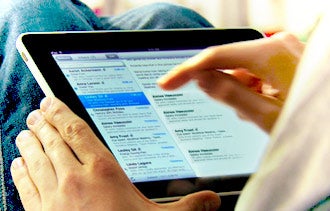
Your choice will depend largely on what you need to do with the mobile device and where you'll be using it. Answering these simple questions can help you decide which kind of device will meet your mobile work needs.
1. How portable should it be?
Do you regularly carry a briefcase, purse or computer bag? If not -- and if you'd rather not start -- then a smaller smartphone that slips into your pocket is probably best.
Do you regularly carry a briefcase, purse or computer bag? If not -- and if you'd rather not start -- then a smaller smartphone that slips into your pocket is probably best.
Many smartphones, including the iPhone 4S, are 4.5 inches tall or less, and 2.5 inches wide or less. Hold various models in your hand to see which ones feel most comfortable.
Common Google AdWords Mistakes and How to Avoid Them

It happens all too often. You get turned on to the wonders of advertising through Google AdWords, only to have a hastily organized campaign run up thousands of dollars worth of clicks.
You have no idea how you're going to pay for those clicks, and you don't have any sales to show for your trouble.
AdWords can be an amazing sales-generator. The wonder of the tool, though, shouldn't detract from the cold-hard marketing math behind producing an ad that not only produces clicks but also sales.
iPhone Stuck on Apple Logo Problem and its Solution
Sometimes you may find your iPhone has clogged, displaying the Apple logo. The silver screen is dominated by the Apple logo for several minutes and you are in middle of nowhere. Do not panic. There are certain operations which may rescue your device from collapse. This happens to majority of the iPhone users across the globe on performing a jailbreak. This bug tends to occur on executing a jailbreak or on installation of jailbreak oriented application.
To overcome this fault, we can perform the following operations:
Soft Reset
iPhone Error 23 – Problem and Solution
The iPhone is a very powerful multitasking cellular phone manufactured by Apple, which is at the same time a data transfer device and an MP3 player. However, being a multitasking gadget, the iPhone quite often displays different kinds of errors that are represented by error serial numbers.
One such error is iPhone Error 23, which usually appears while you are downloading some content to your iPhone. More or less, every iPhone user has to face at least once, these kinds of errors. Whether these errors can lead to questioning the flawlessness of the iPhone is another question, but it is sensible to understand that gadgets are always susceptible to one error or another.
 Here we are dealing with the appearance of the iPhone Error 23 and how to resolve it.
iPhone Error 23 Problem
If your iPhone cannot restore or update the software and shows a black screen, then the first step is not to panic and press keys haphazardly on the iPhone, as that confusion can even complicate the problem, further. Whether your iPhone has been infected by a virus or not, is something that will only become clear, if the iPhone fails to perform even after following the usual steps of resolving the Error 23. If you are wondering what the usual procedures to get rid of the error, then, presented here are the guidelines for the purpose.
iPhone Soft Reset
 Encountering problems connecting to internet? Call drops? Applications are not functioning properly? Malfunctioning of the Home Button? The classic solution to these issues is to make a quick and easy restart, without connecting to a computer. So before visiting to the nearby Apple store, try this out. This phenomenon of quick and easy restart of the device without connecting to the computer is called Soft Reset. This helps you to escape any frozen applications that jammed your device for minutes. Hard reset must not be performed in small intervals as it may hamper the device.
Unlock iphone 4s

The iPhone 4S is one of the smartest Apple products and experts feel that this is one iPhone that is way ahead of its league. A complete touchscreen, the iPhone 4S is a 5th generation iPhone that is integrated with SIRI, a voice recognition system and iCloud, which is a cloud storage service. Released on October 14, 2011 for the first time, the iPhone 4S uses iOS 5.1.1, which is the most advanced mobile operating system by Apple.
So when you buy an iPhone 4S in the US to use in South Africa, India, Nepal, or Russia the one thing that you should know about is how to unlock iphone 4s. There are several different ways of unlocking the iPhone 4s and here is a snapshot of each of the ways. If you are frustrated and helpless with your inability to unlock your iPhone 4s then check out the below mentioned method that will facilitate the unlocking of an iPhone4S.
Unlock using SAM 5.0 or 5.1
Here is a step by step approach to using SAM for unlocking your iPhone 4s:
- Choose software to jailbreak your iPhone4s. Recommended: Absinthe
- Go to your iPhone4s springboard
i phone error 13013
The iPhone’s ability to store, sync and play a gigantic collection of music that can be downloaded from the iTunes music library, makes it a premium gadget. Everything is but music after all, and what are musical notes, but mathematical information played on an instrument, but that is another interconnected topic.
The Sync Error 13019 Problem
Here we are talking about how to troubleshoot in case the musical iPhone Sync Error 13019 appears on your gadget. This in fact is a quite commonplace iPhone error, and this does not obviously mean that your music has run into trouble. It is just a mere technical glitch, easily resolved by following the steps described here.
The most commonplace occurrence of this error message while syncing the music. As with technical troubleshooting, there are different approaches, step by step, to resolve an issue. So, here you should first start with repeating the sync procedure to see whether the syncing issue has been resolved.

The Solution for iPhone Sync Error 13019
iphone error 1603
Error 1603 iPhone – Problem and Solution
What’s the Problem?
While restoring your iPhone, if you come across error 1603, don’t hit the roof, as there are millions of users who have already experienced it, and have devised solutions to get around the problem. Whether, you use Windows or Mac OS for upgrading your phone’s firmware, there is a solution for dissolving the problem. Read on to find how.
The Problem:
“The iPhone“-” could not be restored. An unknown error occurred.”
If you witnessed the following message splatter on your iPhone screen, while you were trying to restore it, you have encountered Error 1603 on your iPhone.

Samsung: Galaxy S III sales hit 20 million in 100 days
Samsung said its global sales of the recently-released Galaxy S III smartphone have hit the 20 million mark in just over three months.

The long-awaited smartphone's roll out to the masses was initially hampered by delays and supply chain issues. It launched in Europe on May 29, but was only brought to the U.S. market in mid-June after major carriers held back on selling what few devices it had due to "manufacturer supply constraints."
But Samsung averted the crisis and managed to reach its 10 million sales in July target set by Samsung mobile business president J.K. Shin, thanks to strong demand in Europe.
The phone's launch was strategically timed to get a headstart on rival firms' own announcements, notably Nokia, Motorola, and Apple's next-generation iPhone, due to be announced in San Francisco on September 12.
(By comparison: Apple is expected to sell between 6 to 10 million iPhone 5 smartphones sold reach by the end of the first week of its launch, pegged for mid-to-late September.)
Earlier this week, analysts said that they believed September was "the first month since the iPhone 4S launched in October 2011 that it was not the top-selling smartphone in the U.S. market," with Apple surrendering the U.S. top-selling smartphone crown to Samsung.
The Galaxy S III, dubbed as your BYOD next-best friend, it features a thin and light shell, a high-definition AMOLED display, 4G networking, and Google's Android 4.0 'Ice Cream Sandwich.'
In July, Samsung announced it was partnering with security firm AuthenTec to bring the firm's virtual private networking (VPN) technology to its range of Galaxy devices. By integrating AuthenTec's QuickSec VPN client technology, Galaxy smartphones users will have secure access to corporate networks to internal documents, features and applications on the go.
Less than a fortnight later, Apple snapped up AuthenTec, a designer of fingerprint sensors and identity management hardware, for $356 million.
Warning: New Android malware tricks users with real Opera Mini

A new piece of malware is trying to take advantage of Opera's popularity as a mobile browser alternative on Android smartphones. Cybercriminals have created a new variant of Opfake that bundles the real Opera Mini version 6.5 so as to further mask what the malware is actually doing (earning its creators money from unsuspecting users by sending international text messages).GFI, which first discovered the malware, is calling this particular threat
Medicaid hack update: 500,000 records and 280,000 SSNs stolen
 Utah's Medicaid hack estimate has grown a second time. This time we have gone from over 180,000 Medicaid and Children's Health Insurance Plan (CHIP) recipients having their personal information stolen to a grand total of 780,000 affected. More specifically, the state now says approximately 500,000 victims had sensitive personal information stolen and 280,000 victims had their Social Security numbers (SSNs) compromised.
Subscribe to:
Comments (Atom)
